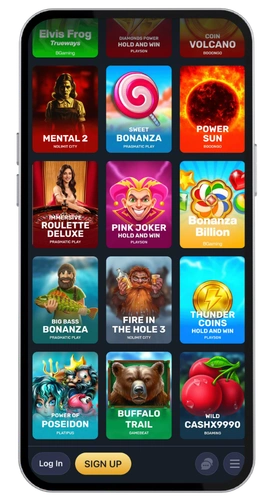
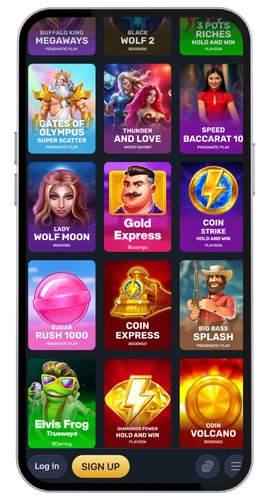
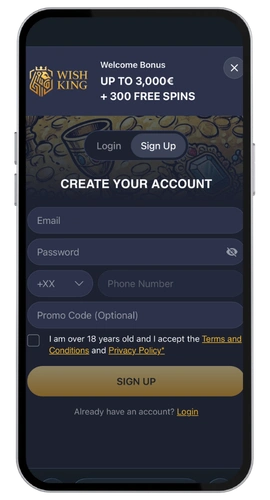
Access to your account should be as quick as making a coffee. Our WishKing login page will prompt for two data items, your email address and password, and then immediately grant access to the existing platform where all games, including the Gamzix, Evolution, Novomatic and BGaming titles, await. Slots, jackpot games, table games, instant win, scratch cards and live casino tables all exist behind a single login.
RAPISO LOSING LIMITED operates this casino through Tobique Gaming Commission license number 0000174, hence all your logins are authenticated before the balance appears on screen. Canadian players can deposit into their account with Interac, Visa, MasterCard, Neteller, Skrill, PaysafeCard or bank wire transfer, and we keep the accounts in Canadian dollars or euros. If you experience any problems logging in our live chat and email support team at [email protected] are always willing to help.
Anytime, anyplace on the WishKing Mobile App
Register, log-in on desktop or in app or in your phone browser—all servers lead to same account. No matter where you log in, access your funds with the same login. Register once. Have one username and one password. Use your funds on your desktop, in the app or in your mobile browser.
Security isn’t an afterthought. Your details travel encrypted, new logins are verified and questioned before being accepted and your email address is verified in the process. Password forgotten? A link arrives in your mailbox within a minute and you reset it yourself.
Opening an Account on Desktop
Here’s the full casino login and sign up path from a computer.
Open our official website in any browser.
Click the registration button at the top of the page.
Enter your email address, pick a password, and choose Canadian dollars as your currency.
Fill in your personal information, name, date of birth and home address.
Please confirm that you’re a legal adult and agree to the terms.
Check your inbox and follow the confirmation link we will mail you.
That process should take just about 2 mins. Once you verify the process takes place, generally before your first withdrawal, we will request your photo ID along with a recent document that provides your address. Upload the documents, we will process them quickly.
To get back in again, hit the Sign in button and re-enter your email address and password, and you’re all set. Select the remember me checkbox on your own machine if you don’t want to type it in again later.
Registration through Mobile App
The Wish King login in our app follows the same short route.
Open the app on your device.
Tap the sign up panel on the welcome screen.
Enter your email address and create a password.
Enter your details then select your currency.
Click the confirmation link in the email we send you.
I would say 90 seconds is about right, perhaps even shorter if your keyboard remembers your details. Having the app remembered on your device means that the instantly logs you in when launched and all you need is one tap. If your smart phone supports face or fingerprint unlock this can be done in the same way without compromising your account security.
Joining From Your Phone Browser
And that will take you to our website, where we have all our games, all our payment options and the same Interac cashier as we have on the desktop. This time, in a new tab in Safari or Chrome, click the sign up link, type in your email address and password, enter your details, and confirm.
Best for players that keep changing mobiles, or if you don’t have much storage space. No installations required, same game account will be there for you regardless of the device. Any trouble? Then simply use the forgot password procedure and get it back, or simply contact to our customer service by live chat, and we will help you step by step to get back to your game!